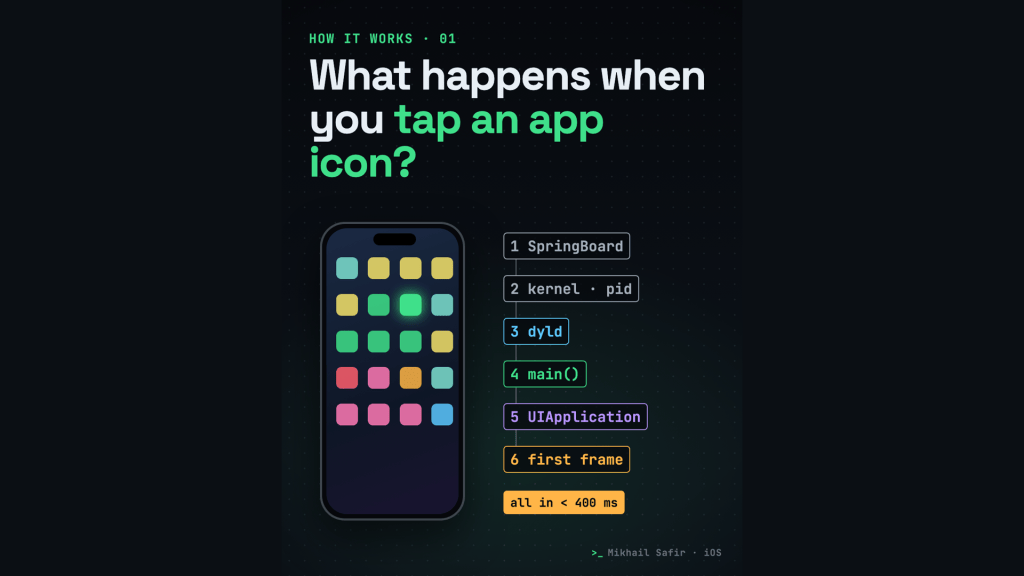
You tap an icon, and about half a second later the app is on screen. It feels instant, but a lot happens in that half second. This is the first episode of How it works, a series where I take one familiar thing and follow it step by step, in code.
1. SpringBoard catches the tap
Your home screen is an app too. It is called SpringBoard. It gets the touch, figures out which icon you hit, and asks the system to launch that app. While the app is starting, you already see its launch screen, so the wait feels shorter.
2. The kernel creates a process
The system creates a new process for the app with its own memory and its own sandbox. The sandbox is why one app can’t read another app’s files.
3. dyld loads and links the code
Before any of your code runs, dyld, the dynamic linker, loads your executable and the frameworks it uses (UIKit, Foundation and so on) and connects every call to a real address in memory. System frameworks come pre-linked in the shared cache, which is a big reason this step is fast. Your own dynamic frameworks are not, so every extra one adds launch time.
4. main runs
Then main runs. In Swift you rarely write it yourself: the @main attribute generates it for you. It calls UIApplicationMain.
5. UIKit starts the app
UIApplicationMain creates the application object, starts the main run loop and calls your app delegate: application(_:didFinishLaunchingWithOptions:). Then the scene connects and the window gets its first view controllers.
6. The first frame
Layout, drawing, and the first real frame is on screen. Apple’s guidance for the whole trip is about 400 milliseconds.
7. Too slow? The watchdog
If launch takes far too long, the system’s watchdog kills the app. The crash report then shows the exception code 0x8BADF00D, which reads as “ate bad food”.
What this means in practice
- Keep
didFinishLaunchinglight: no network calls, heavy disk work or big decoding on the main thread. - Prefer fewer dynamic frameworks; static linking moves work out of launch.
- Defer anything the first screen doesn’t need.
- Measure with Instruments (App Launch template) and look at launch time in Xcode Organizer.
Sources: Apple HIG “Launching”; WWDC19 “Optimizing App Launch”; Apple documentation “Addressing watchdog terminations”.
I’m Mikhail Safir, a Senior iOS engineer in Barcelona. I make these explainers in code (Remotion and an AI voice). What should I explain next? Tell me on LinkedIn or subscribe on YouTube.

