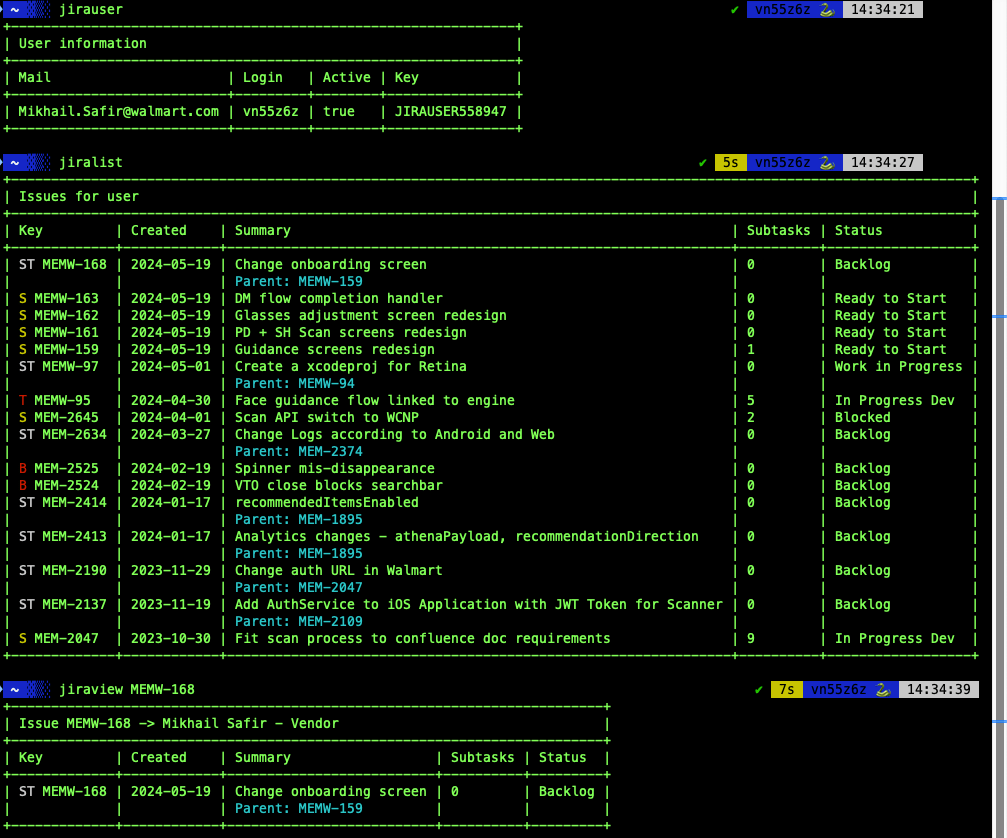
I’m thrilled to introduce our latest product designed for developers: Swift-Jira. If you’re working with Jira under SSO, this tool is about to make your life a lot easier. With Swift-Jira, you can access all the information in your corporate Jira directly from your terminal and automate the creation of issues.
Why Swift-Jira?
As a developer, I often found myself bogged down by the repetitive tasks involved in managing Jira issues. Switching between the terminal and web browser, waiting for pages to load, and sifting through data I didn’t need was frustrating and time-consuming. That’s why I created Swift-Jira – to streamline and simplify the workflow for developers.
Key Features
1. Automate Daily Tasks
One of the standout features of Swift-Jira is its ability to automate daily tasks. With a single command in the terminal, you can:
- Create a subtask in Jira
- Create a new branch
- Switch to development mode
- Pull all the latest data
- Move the issue to “In Progress” status
- Easily make a PR (Pull Request)
All of this can be done without leaving your terminal. No more switching to the web interface and waiting for unnecessary data to load.
Why Every Developer Needs Swift-Jira
Swift-Jira is designed to save you time and reduce the hassle of managing your Jira tasks. Here’s why it’s a must-have:
- Efficiency: Automate repetitive tasks to focus more on coding and less on administrative work.
- Speed: Eliminate the need to switch between different tools, making your workflow faster and smoother.
- Simplicity: Keep everything in one place – your terminal.
For more information and to get started with Swift-Jira, visit our GitHub page.
Start optimizing your workflow today with Swift-Jira and experience the difference it makes in your development process.
 Mikhail Safir